Serverless applications often perform well during initial testing. However, as the volume of requests increases, AWS Lambda may start to show inconsistent response times, delays from cold starts, and issues with API responsiveness that aren’t immediately obvious in low-traffic situations.
In this blog, I built and tested a simple serverless architecture using Amazon API Gateway, AWS Lambda, DynamoDB, and CloudWatch to see how Lambda behaves under repeated API traffic. Through hands-on testing, I looked into cold starts, the impact of memory allocation, execution delays, and API response behavior under load.
The goal of this experiment was not to create a large-scale production system. Instead, I aimed to understand how serverless applications respond to rising traffic conditions and how small configuration changes can improve performance and stability.
Architecture Overview
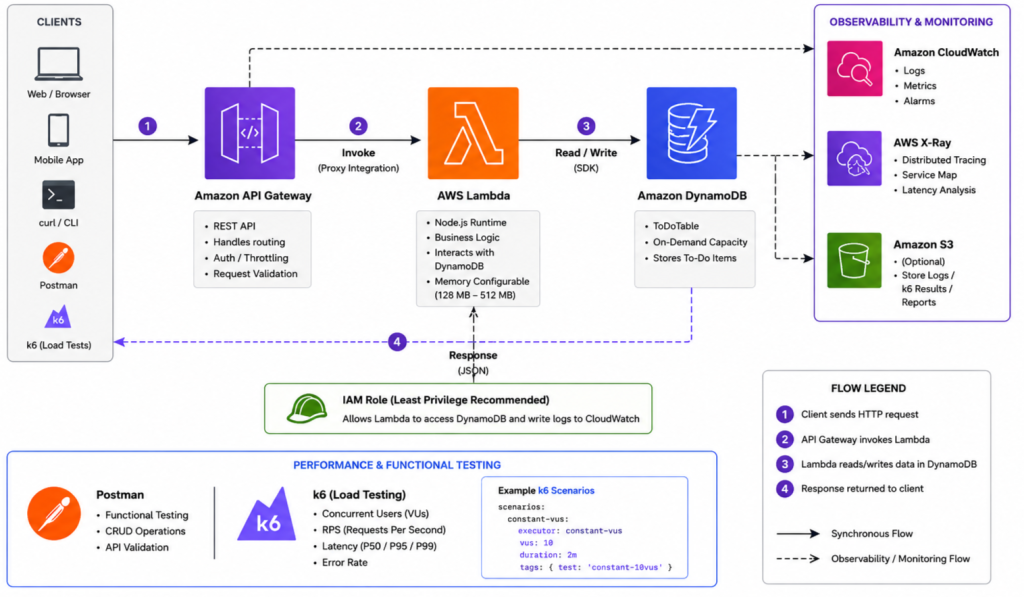
To analyze AWS Lambda performance and API responsiveness under repeated traffic, I built a lightweight serverless architecture using Amazon API Gateway, AWS Lambda, DynamoDB, and CloudWatch.
Amazon API Gateway receives incoming API requests and forwards them to AWS Lambda for processing. The request data is then stored in DynamoDB, while CloudWatch monitors logs, execution duration, and API behavior during testing.
Core Components:
- API Gateway — request routing and API exposure
- AWS Lambda — stateless execution of application logic
- DynamoDB — low-latency NoSQL data storage
- CloudWatch — monitoring, logs, and execution metrics
This architecture was intentionally kept simple to focus on observing cold starts, memory impact, latency, and API responsiveness under repeated requests without adding unnecessary infrastructure complexity.
Hands-On Implementation
To analyze AWS Lambda performance and API responsiveness under repeated traffic, I deployed a lightweight serverless architecture using Amazon API Gateway, AWS Lambda, DynamoDB, and CloudWatch.
1. DynamoDB Configuration
For request persistence during testing, I created a DynamoDB table with the following configuration:
- Table name: items
- Partition key: id
- Capacity mode: On-Demand
The On-Demand capacity mode was used to automatically adapt to varying API request traffic during testing.
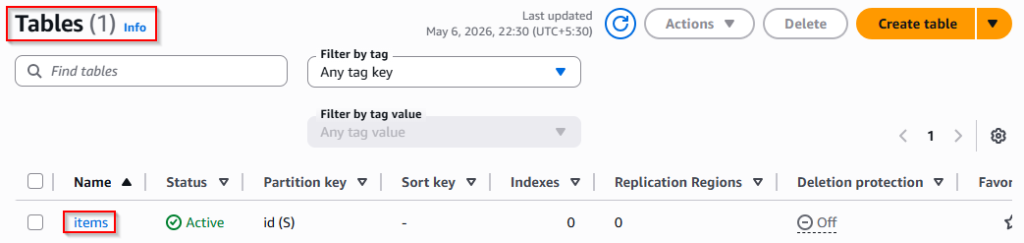
After deployment, the table acted as the persistence layer for incoming API requests.
2. Configure AWS Lambda Function
A Lambda function was created using the Author from Scratch option with the following configuration:
- Function name: api-handler
- Runtime: Python 3.12
The following IAM permissions were attached to the execution role:
- AWSLambdaBasicExecutionRole
- AmazonDynamoDBFullAccess
[For simplicity, a managed policy was used during testing. In production, least-privilege IAM permissions should be preferred.]
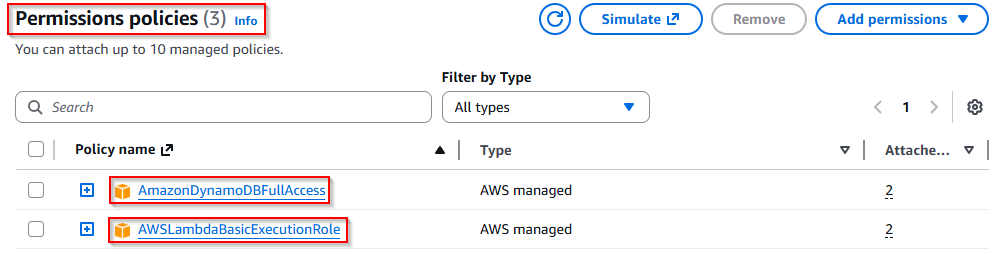
The Lambda function was configured to process incoming API requests and store request data in DynamoDB.
Deploy the following code inside the Lambda function:
import json
import boto3
import uuid

dynamodb = boto3.resource('dynamodb')
table = dynamodb.Table('items')

def lambda_handler(event, context):

    item_id = str(uuid.uuid4())

    table.put_item(
        Item={
            'id': item_id,
            'message': 'stored successfully'
        }
    )

    return {
        'statusCode': 200,
        'body': json.dumps({
            'id': item_id
        })
}3. Configure API Gateway
To expose the Lambda function through an HTTP endpoint, a REST API was configured in Amazon API Gateway.
A /items resource was created with a POST method using the following settings:
- Integration Type: Lambda Function
- Lambda Proxy Integration: Enabled
- Connected Lambda Function: api-handler
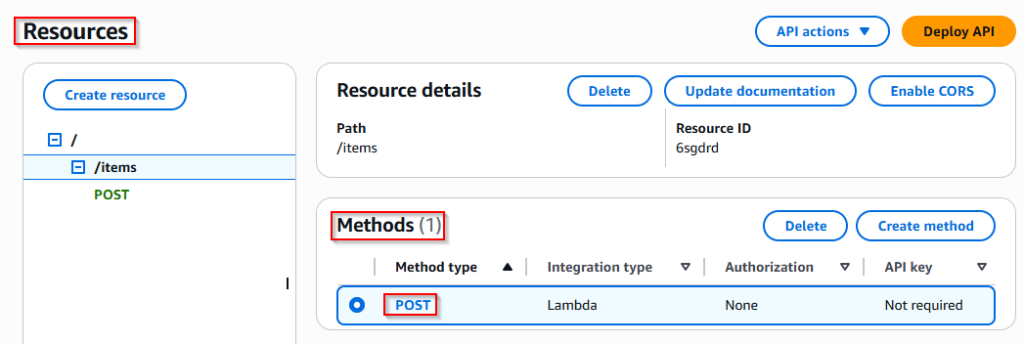
After configuration, the API was deployed to the prod stage.
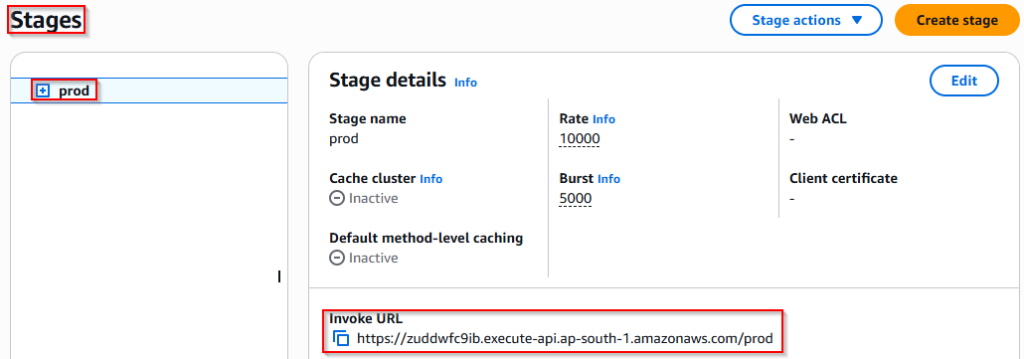
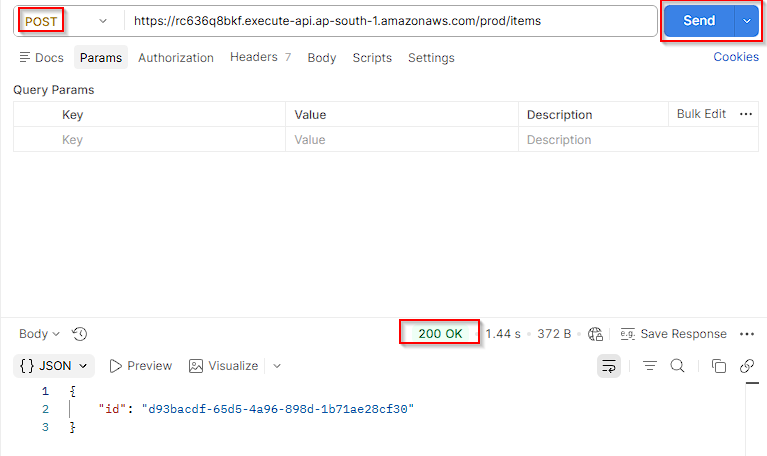
4. Validate the Endpoint
The deployed endpoint was validated using Postman by sending repeated POST requests to confirm successful communication between API Gateway, Lambda, and DynamoDB.
Successful requests returned dynamically generated request IDs, confirming that the serverless workflow was functioning correctly before performance testing began.
Analyzing AWS Lambda Performance & Execution Behavior
1. Cold Starts vs Warm Executions
One of the first behaviors observed during testing was the latency difference between cold starts and warm executions in AWS Lambda.
During the initial API request, response latency increased significantly because Lambda had to create and initialize a new execution environment before processing the request. Once initialized, subsequent requests reused the same execution environment, resulting in much faster response times.
Observations
| Invocation Type | Response Latency |
| First Invocation (Cold Start) | ~900–1400 ms |
| Repeated Invocations (Warm Start) | ~60–100 ms |
Key Insight
- Execution environment reuse improved overall API responsiveness
- Cold starts introduced noticeable latency spikes during the first request
- Warm executions significantly reduced response time during repeated API calls
2. How AWS Lambda Memory Allocation Impacts Performance
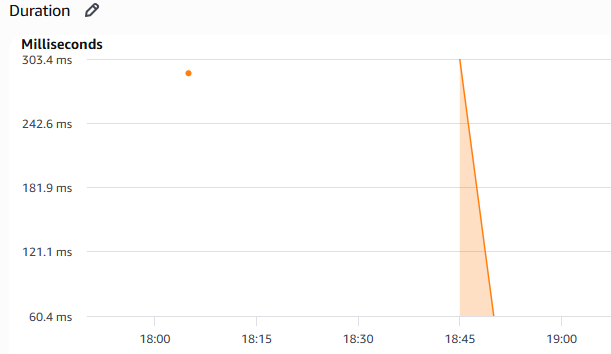
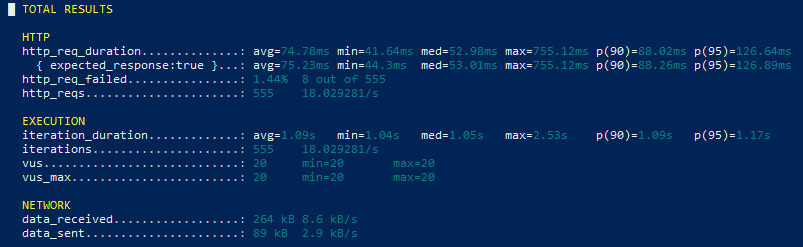
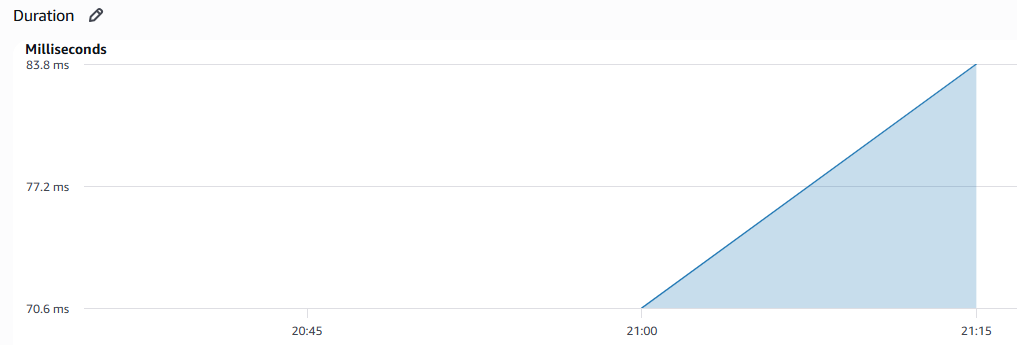
To analyze the impact of memory allocation on AWS Lambda performance, load testing was performed using k6 under repeated API traffic with both 128 MB and 512 MB memory configurations.
128 MB Metrics
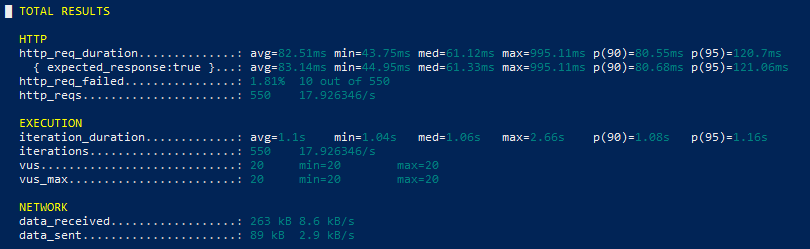
512 MB Metrics
Performance Comparison
| Metric | 128 MB | 512 MB |
| Avg Request Duration | 82 ms | 68 ms |
| Max Latency | 995 ms | 775 ms |
| Failed Requests | 1.81% | 1.75% |
Key Observations
Increasing Lambda memory allocation improved response consistency and reduced overall execution latency during repeated API traffic. Since AWS Lambda scales CPU resources together with memory, higher memory configurations provided faster request processing with fewer latency spikes.
3. How Lambda Execution Delays Cause API Gateway Failures
To observe how execution delays impact API responsiveness, an artificial processing delay was temporarily introduced inside the Lambda function during repeated API traffic testing.
As execution time increased, request latency became significantly higher and repeated API calls eventually resulted in failed responses during continuous traffic.
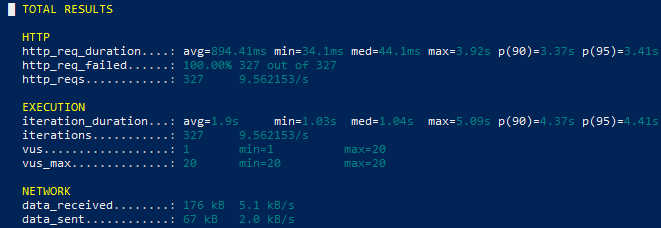
Key Observation
Long-running Lambda execution directly impacted API responsiveness by increasing request latency and reducing response consistency under repeated traffic.
These observations highlighted how execution delays can negatively affect user experience and API reliability in serverless applications.
4. Observability with AWS X-Ray
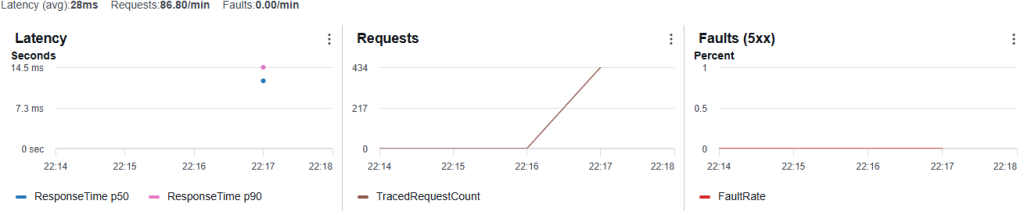
To gain deeper visibility into request execution flow, AWS X-Ray tracing was enabled for both AWS Lambda and API Gateway during performance testing.
X-Ray traces helped visualize request latency, execution timing, and overall API behavior under repeated traffic conditions.
Key Observation
X-Ray provided better visibility into request flow and execution timing, making it easier to analyze latency behavior and monitor API responsiveness during repeated API traffic.
{Note}: Repeated API traffic for performance testing, CloudWatch monitoring, and AWS X-Ray tracing was generated using k6 with concurrent virtual users against the deployed API Gateway endpoint to observe Lambda execution behavior and API responsiveness under continuous traffic conditions.
Key Findings
- Cold starts introduced noticeable latency spikes during the first Lambda invocation
- Warm executions significantly improved API response time under repeated traffic
- Increasing Lambda memory allocation reduced execution latency and improved response consistency
- k6-based load testing provided better visibility into Lambda behavior under concurrent API traffic
- Artificial execution delays negatively impacted API responsiveness and increased failed requests
- AWS CloudWatch and AWS X-Ray improved observability by helping trace request flow and execution timing
Conclusion
This blog provided practical insight into how AWS Lambda behaves under repeated API traffic and how factors such as cold starts, memory allocation, and execution delays directly influence API responsiveness.
Through k6-based load testing, CloudWatch metrics, and AWS X-Ray tracing, noticeable differences were observed between cold and warm executions, memory configurations, and delayed execution behavior under continuous requests.
The results showed that increasing Lambda memory allocation improved execution consistency and reduced overall response latency, while artificial execution delays highlighted how long-running execution can negatively impact API responsiveness.
Overall, this experiment demonstrated the importance of performance testing and observability in serverless architectures and provided a practical understanding of how lightweight AWS Lambda workloads behave under repeated traffic conditions.
Stay tuned to Cloud Jiva for more practical AWS automation guides and cloud tips.