Why I Automated My EC2 Backups
Backups are one of those tasks in cloud computing that are essential but easy to overlook. When you’re managing multiple EC2 instances, remembering to manually create snapshots every day or before key deployments can become a repetitive and risky process.
Missing just one backup can lead to data loss, extended downtime, or costly troubleshooting — especially if something goes wrong and there’s no recent snapshot to recover from.
This was the exact problem I faced while working with EC2 instances on a regular basis. I needed a way to:
- Ensure my instances were backed up regularly
- Avoid the hassle of doing it manually
- Add reliability without increasing complexity or cost
That’s when I turned to Python and AWS Lambda — two powerful tools that allowed me to create a lightweight, serverless automation system for EC2 backups
What You’ll Learn
In this blog, you’ll learn how to automate EC2 backups on AWS using a simple and reliable serverless setup.
By the end of this guide, you’ll be able to:
- ✅ Automatically create snapshots (AMIs) of your EC2 instances.
- ✅ Write a Python script using Boto3 (AWS SDK for Python).
- ✅ Deploy that script inside an AWS Lambda function.
- ✅ Use CloudWatch Events to schedule your backups (daily, weekly, etc.).
- ✅ Tag EC2 instances to control which ones get backed up — no need to hardcode anything.
- ✅ Monitor and test your setup using Lambda logs and the EC2 console.
Service Lineup
🖥️ Amazon EC2 (Elastic Compute Cloud)
EC2 provides virtual machines (instances) that run your applications, servers, or any compute workload in the cloud. These are the resources we’ll back up.
⚙️ AWS Lambda
Lambda is a serverless compute service that runs your Python code without provisioning any servers. We’ll use it to automate the backup logic.
⏰ Amazon CloudWatch Events
CloudWatch lets you schedule events (like a cron job) to trigger your Lambda function automatically — daily, weekly, or as you prefer.
🔐 AWS IAM (Identity and Access Management)
IAM controls permissions and security. We’ll create an IAM role that allows our Lambda function to access and manage EC2 instances safely.
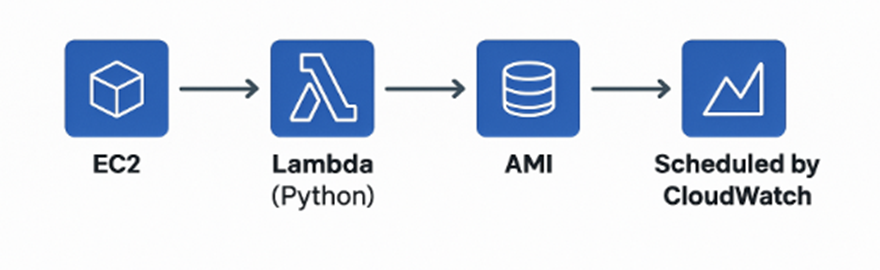
Project Architecture
A simple diagram illustrating EC2 invoking a Python- based Lambda function with an AMI, scheduled by CloudWatch.
Step-by-Step Implementation
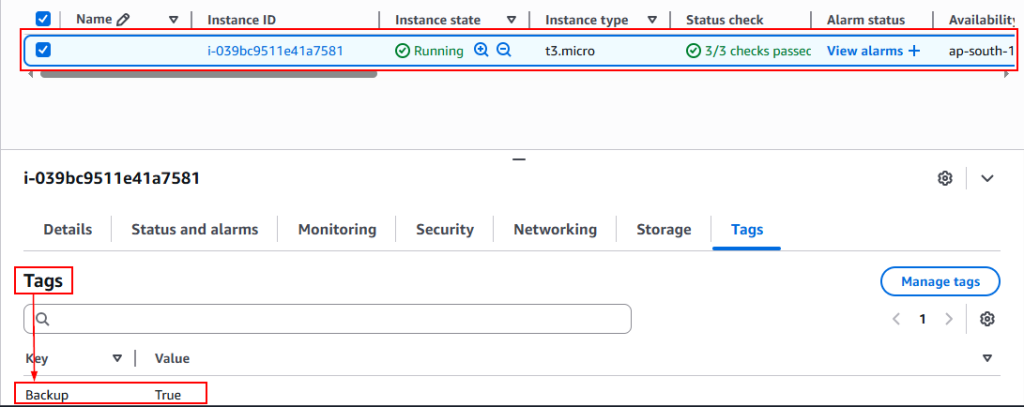
Step – 1: Tag EC2 Instances for Backup
- Go to the EC2 dashboard in AWS console
- Select the instance you want to back up
- Click on the tag’s tabs
- Add a new tag: Key: Backup, Value: True
- Save the tags
Step – 2: Create an IAM role for Lambda and Event Bridge
- In the IAM service
- Click on roles – Create the role
- Select the AWS service – Lambda
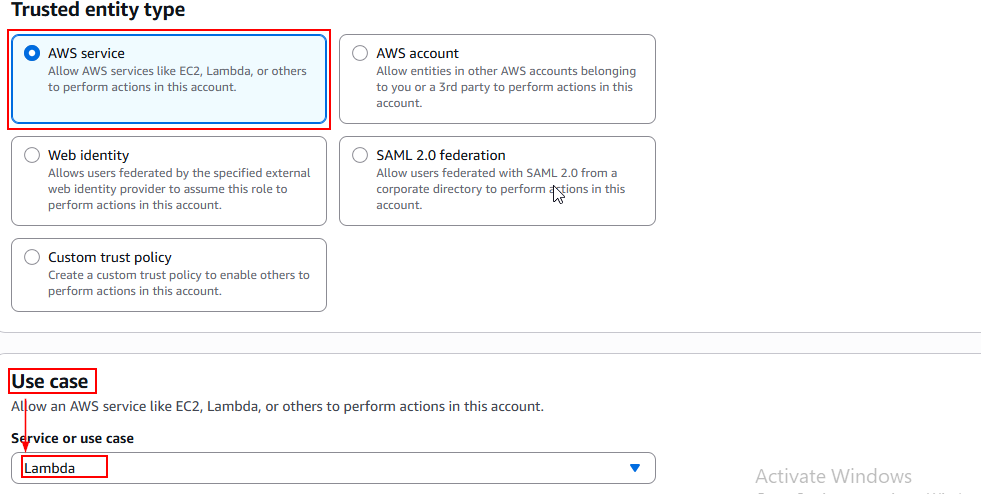
- Click next to attach permissions
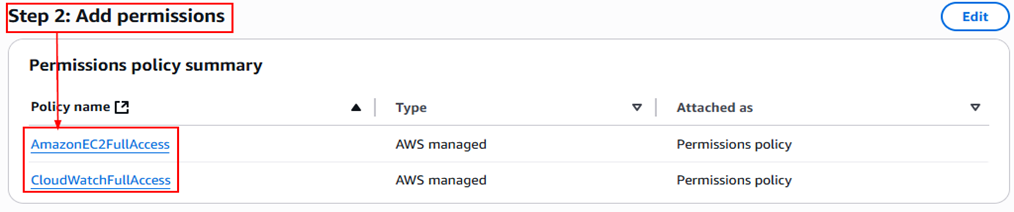
- Name the role: LambdaEC2BackupRole.
- Create the role.
- Repeat the same steps to make the role required for the Event Bridge service.
Step – 3: Set Up the Lambda Function
- Click – Create the function
- Select the Author from scratch
- Function Name – EC2BackupAutomation
- Runtime – Python 3.12
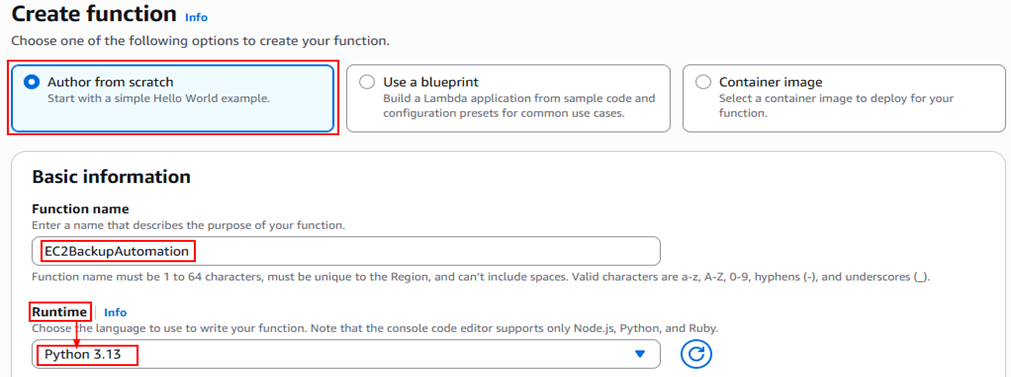
- Select the execution role – LambdaEC2BackupRole
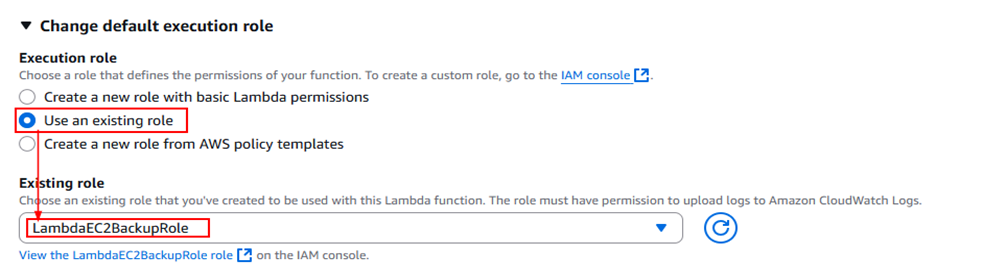
- Click Create Function.
Add the Python Code:
- In the Code Source section, click Edit.
- Replace the code with your Python script (you can use a template like this):
import boto3
import datetime

ec2 = boto3.client('ec2')

def lambda_handler(event, context):
    instances = ec2.describe_instances(
        Filters=[
            {
                'Name': 'tag:Backup',
                'Values': ['True']
            }
        ]
    )

    for reservation in instances['Reservations']:
        for instance in reservation['Instances']:
            instance_id = instance['InstanceId']
            current_time = datetime.datetime.now().strftime('%Y-%m-%d-%H-%M-%S')
            image_name = f"Backup-{instance_id}-{current_time}"

            print(f"Creating AMI for {instance_id}")
            ec2.create_image(
                InstanceId=instance_id,
                Name=image_name,
                NoReboot=True
)- Deploy to save the code.
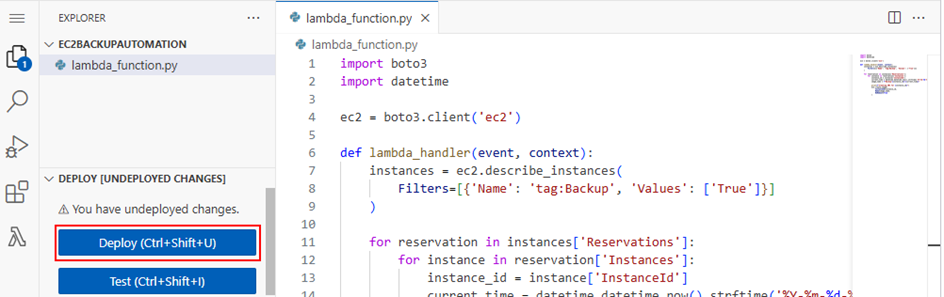
Step – 4: Schedule the Lambda with Event Bridge (CloudWatch)
- Go to Amazon Event Bridge → Schedules → Create schedule.
- Name the schedule: EC2BackupAutomation.
- Select the Recurring schedule and corn-based schedule
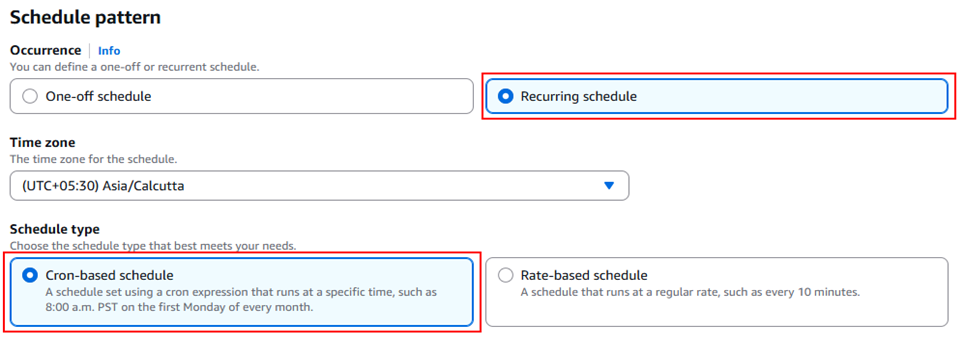
- Fill the corn-based expressions.

- Select the target in the Target Detail.
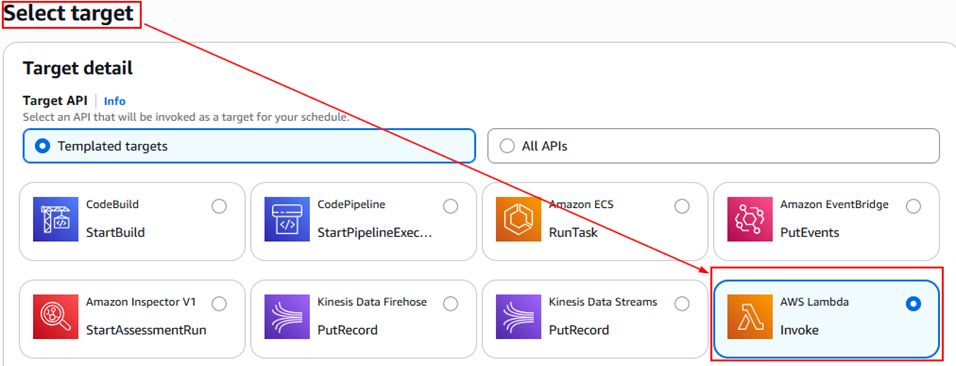
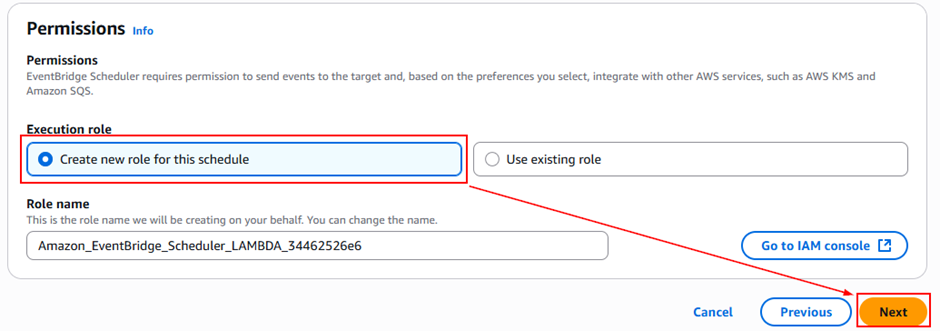
- Execution Role: You can let AWS auto-create a role OR select an existing role that allows Event Bridge to assume it.
- Set Flexible time window: OFF.
- Click Create Schedule.
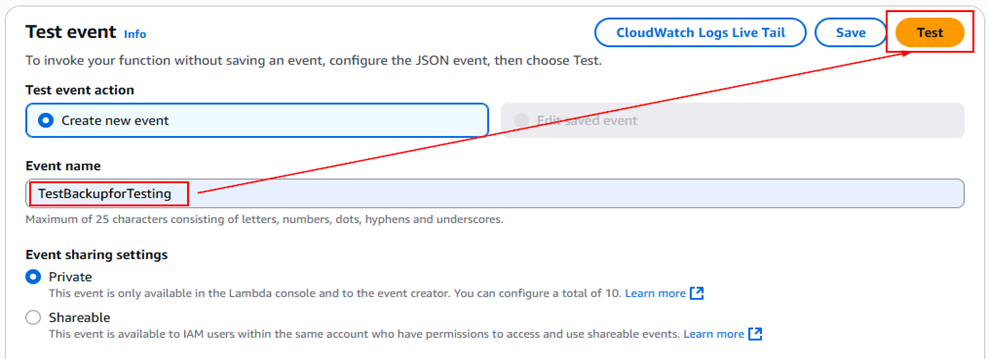
Step 5: Test the Lambda Function
- In the Lambda console, go to your function.
- Click Test → Create New Test Event (you can leave the default settings).
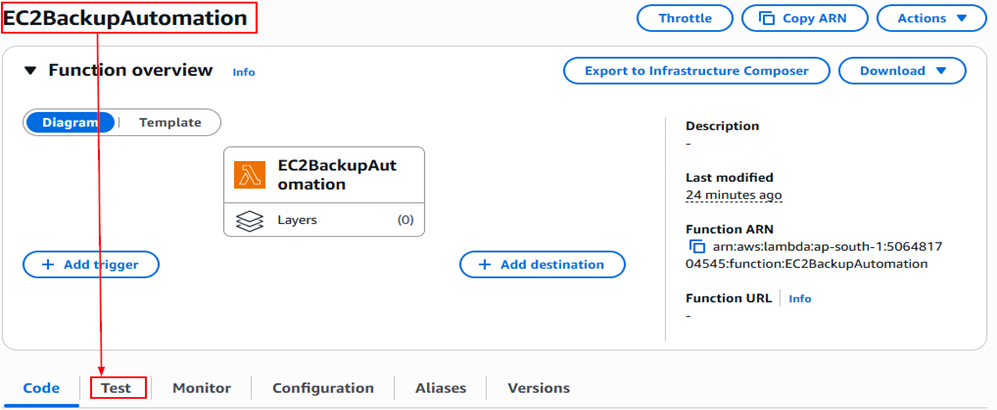
- Click Test to run manually.
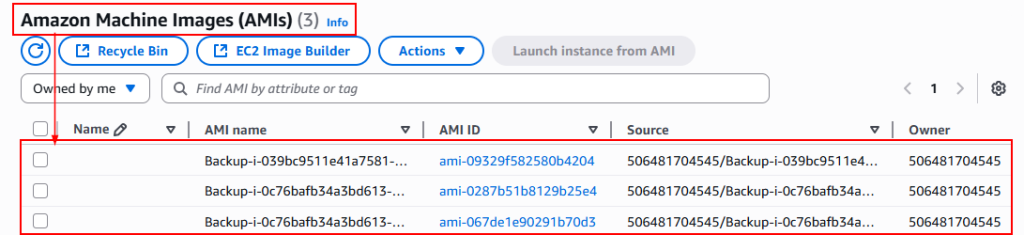
- Check the EC2 > AMIs section to see if a new image was created.
- Check CloudWatch Logs for Lambda logs to confirm success
Conclusion
Automating EC2 backups with Python, Lambda, and Event Bridge not only saves time but also ensures your critical data is consistently protected without manual intervention. With just a few AWS services and some simple Python code, you can create a scalable and reliable backup solution tailored to your infrastructure needs.
If you’ve followed along, you now have a fully functional, serverless backup process in place! As next steps, you can enhance this solution further by adding retention policies, notifications, or even cost optimizations.
Stay tuned to Cloud Jiva for more practical AWS automation guides and cloud tips.