Finding and fixing bugs in an application with just the standard CloudWatch logs can be a slow and inefficient experience, especially if the error messages are spread over multiple log streams.
This project presents an easy-to-use approach to converting CloudWatch logs into easily readable human insights, powered by AI with the help of AWS Lambda and Amazon Bedrock.
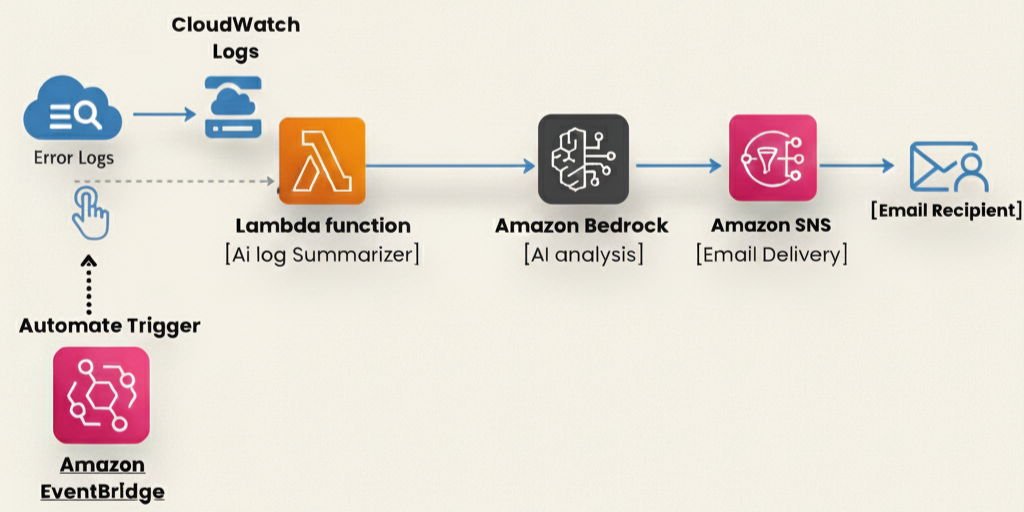
The proposed solution operates through a manual triggering mechanism to maintain a lightweight and easy-to-understand architecture. Additionally, this solution can be automated using an Amazon EventBridge scheduler to enable periodic log analysis without manual intervention
Architecture Overview
AWS Services Used
- AWS Lambda – Executes the log analysis logic
- Amazon CloudWatch Logs – Stores application error logs
- Amazon Bedrock – Uses AI to summarize and explain errors
- Amazon SNS – Sends the AI-generated summary via email
- AWS IAM – Manages permissions securely
Step-by-Step Implementations
🔹 Step 1: Create a Test Lambda Application Acting as a Log Source
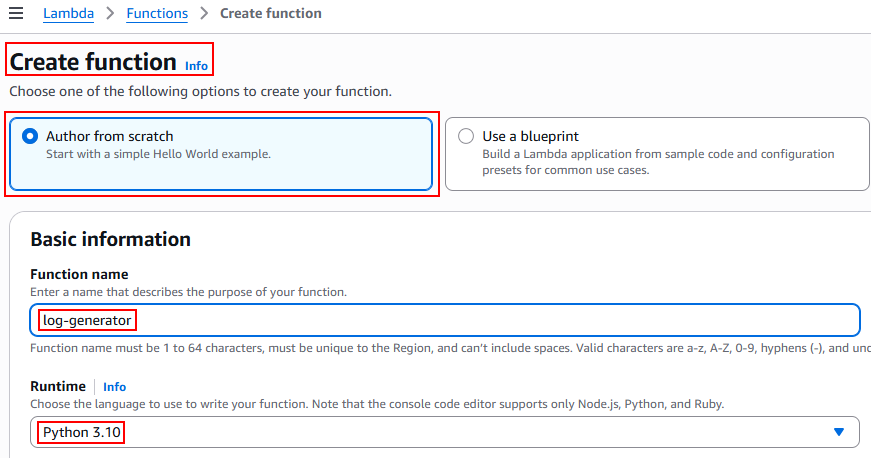
👉 After creating the function, add the code in the editor to generate sample logs.
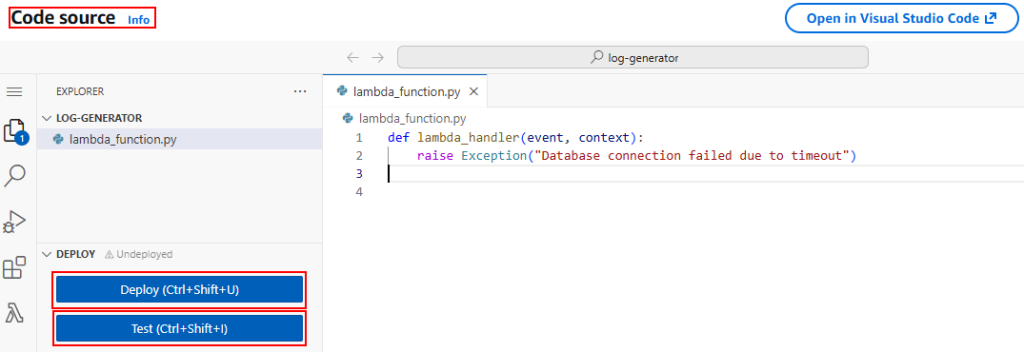
def lambda_handler(event, context):
raise Exception("Database connection failed due to timeout")Execution Steps
- Deploy the Lambda function.
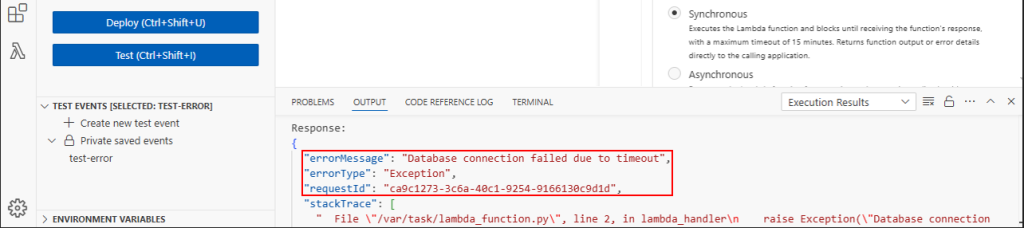
- Run a test event using the default configuration.
- Execute the test multiple times to generate logs.
Outcome
- Error logs are generated in Amazon CloudWatch Logs, simulating application failures for analysis.
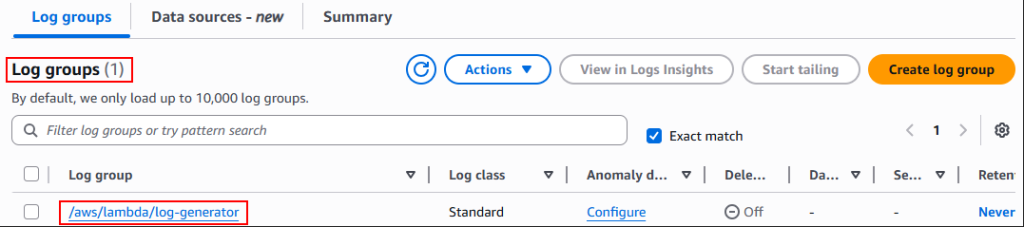
🔹 Step 2: Verify the logs exist
- Open CloudWatch and navigate to Logs → Log groups
🔹 STEP 3: CREATE IAM ROLE
- Go to IAM → Roles → Create role
- Select AWS service → Lambda
- Attach the following policies: cloudWatchLogsReadOnlyAccess, AmazonSNSFullAccess, AmazonBedrockFullAccess.
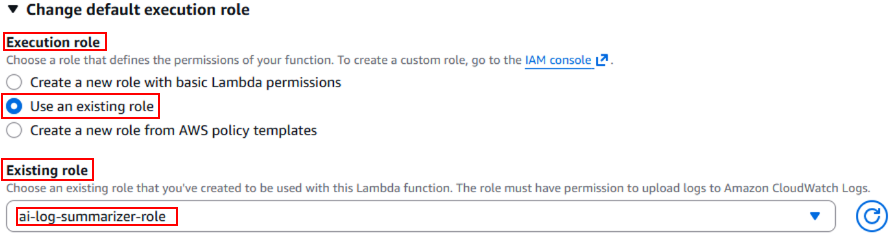
- Name the role: ai-log-summarizer-role
- Create the role
🔹 STEP 4: Configure Amazon SNS to send email alerts for log summaries
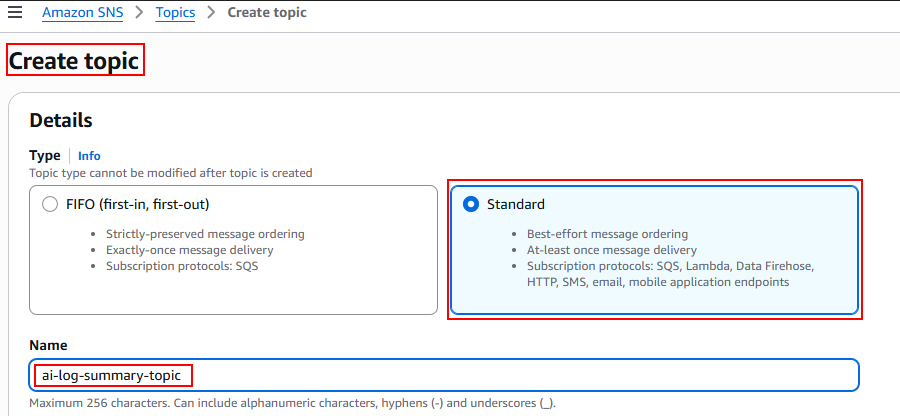
- Go to Topics → Create topic
- Select Standard and name it: ai-log-summary-topic
- Click Create topic
📩 Email Subscription
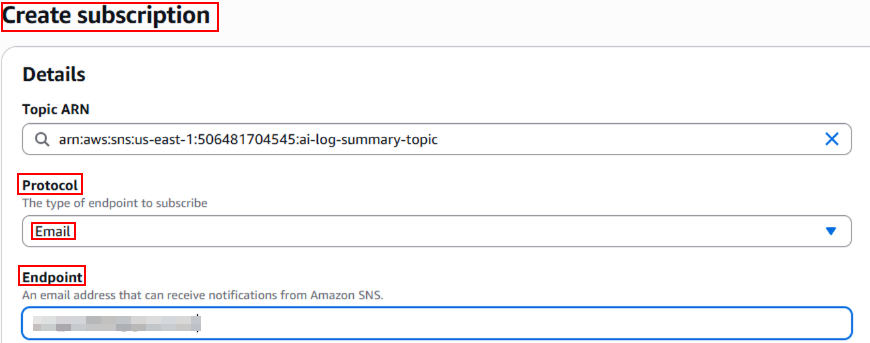
- Open the topic → Create subscription
- Protocol: Email
- Enter your email and create the subscription
✔ Confirm the email (Email notifications are successfully enabled)

- Select Author from scratch
- Name the function: ai-log-summarizer
- Runtime – Python 3.10
- Execution role – Select Use existing role
- Create the function
🔹 STEP 5: ADD ENVIRONMENT VARIABLES
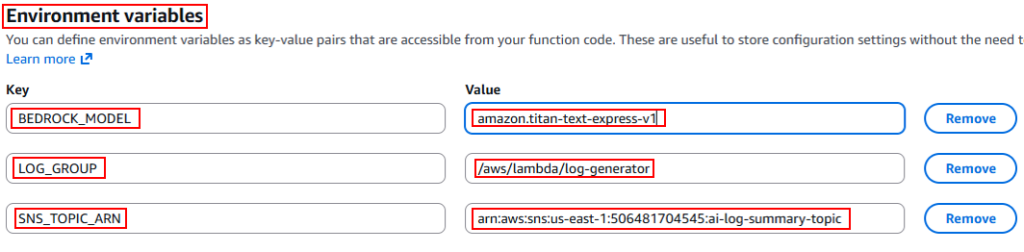
- Lambda → Configuration → Environment variables
🧠 Paste the AI Logic
- Open the newly created Lambda function
- In the Code section, replace the default code with the AI summarization logic
- Click Deploy to save the changes
import boto3
import os
import time
import json

logs_client = boto3.client('logs')
sns_client = boto3.client('sns')
bedrock = boto3.client('bedrock-runtime')

LOG_GROUP = os.environ['LOG_GROUP']
SNS_TOPIC_ARN = os.environ['SNS_TOPIC_ARN']
MODEL_ID = os.environ['BEDROCK_MODEL']

def lambda_handler(event, context):
    # Get last 1 hour logs
    end_time = int(time.time() * 1000)
    start_time = end_time - 3600000

    response = logs_client.filter_log_events(
        logGroupName=LOG_GROUP,
        startTime=start_time,
        endTime=end_time,
        filterPattern='ERROR ?Exception ?Failed'
    )

    log_messages = [event['message'] for event in response.get('events', [])]

    if not log_messages:
        return {"status": "No error logs found"}

    # Prompt for AI
    prompt = f"""
You are a DevOps engineer.

Analyze the following CloudWatch logs and provide:
1. Error summary
2. Probable root cause
3. Suggested fix

Logs:
{log_messages}
"""

    # Titan request format
    body = json.dumps({
        "inputText": prompt,
        "textGenerationConfig": {
            "maxTokenCount": 300,
            "temperature": 0.2,
            "topP": 0.9
        }
    })

    response = bedrock.invoke_model(
        modelId=MODEL_ID,
        body=body,
        accept="application/json",
        contentType="application/json"
    )

    result = json.loads(response['body'].read())
    summary = result['results'][0]['outputText']

    # Send email
    sns_client.publish(
        TopicArn=SNS_TOPIC_ARN,
        Subject="AI-Powered CloudWatch Log Summary",
        Message=summary
    )

    return {"status": "Email sent successfully"}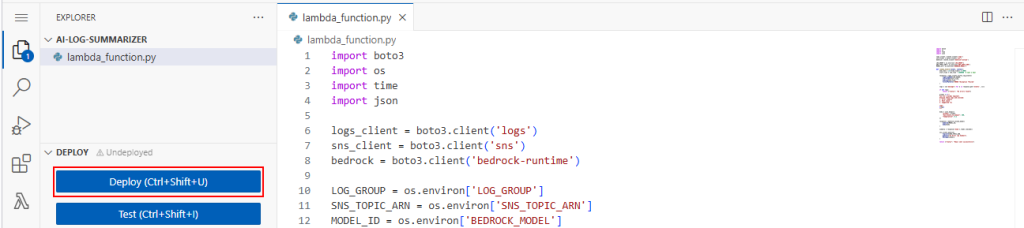
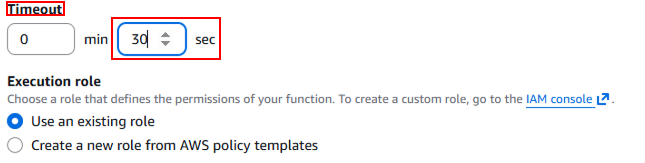
🔹 Important Note: Update Lambda Runtime Configuration
Before proceeding, it is important to update the Lambda runtime configuration to ensure the function executes successfully.
- Open the Lambda function → Configuration → General configuration→Update the Timeout value
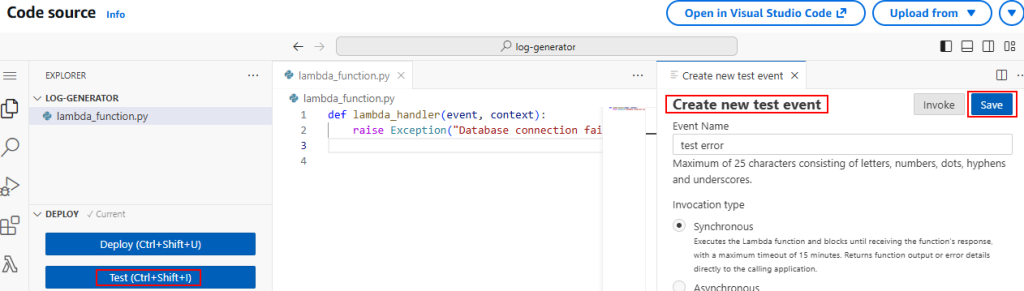
🔹 STEP 6: TEST FINAL PROJECT.
- Now test and execute the function.(Create a new test event to test the function)
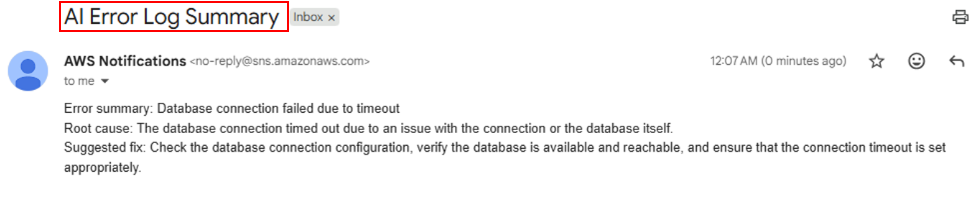
- Verify and confirm that the AI-generated summary is delivered to the configured email address via Amazon SNS.
Practical Use Cases
1️⃣ On-Demand Debugging During Application Failures
In real life, developers often encounter situations where an application suddenly fails. Identifying the root cause means manually scanning large amounts of CloudWatch logs. This task can take a lot of time and is inefficient, especially under pressure.
With this solution, a developer can easily trigger the Lambda function to analyse recent error logs. They will receive a brief summary via email. Instead of sifting through raw logs, the developer gets a clear explanation of what went wrong, possible causes, and suggested fixes. This approach significantly cuts down debugging time.
2️⃣ Quick Health Check Before Deployment or Monitoring
Before launching a new version of an application, teams usually need to look over recent logs to make sure there are no serious problems. Manually checking logs for this can be tedious and easy to overlook.
With this solution, the Lambda function can be activated to do a quick log analysis. It gives a summarized view of recent errors. This helps teams quickly evaluate the application’s health and take action if necessary, boosting deployment confidence and operational efficiency.
Conclusion
This project shows how AI can improve traditional log analysis by turning raw CloudWatch logs into useful insights. By combining AWS Lambda with Amazon Bedrock, the solution makes error detection and finding root causes easier.
Stay tuned to Cloud Jiva for more practical AWS automation guides and cloud tips.